Authentication & Access Control
Overview
Whoxa CRM uses JWT-based authentication with separate access and refresh tokens. There are two auth domains: User (business owners and agents) and Admin (super admin).
Registration Flow
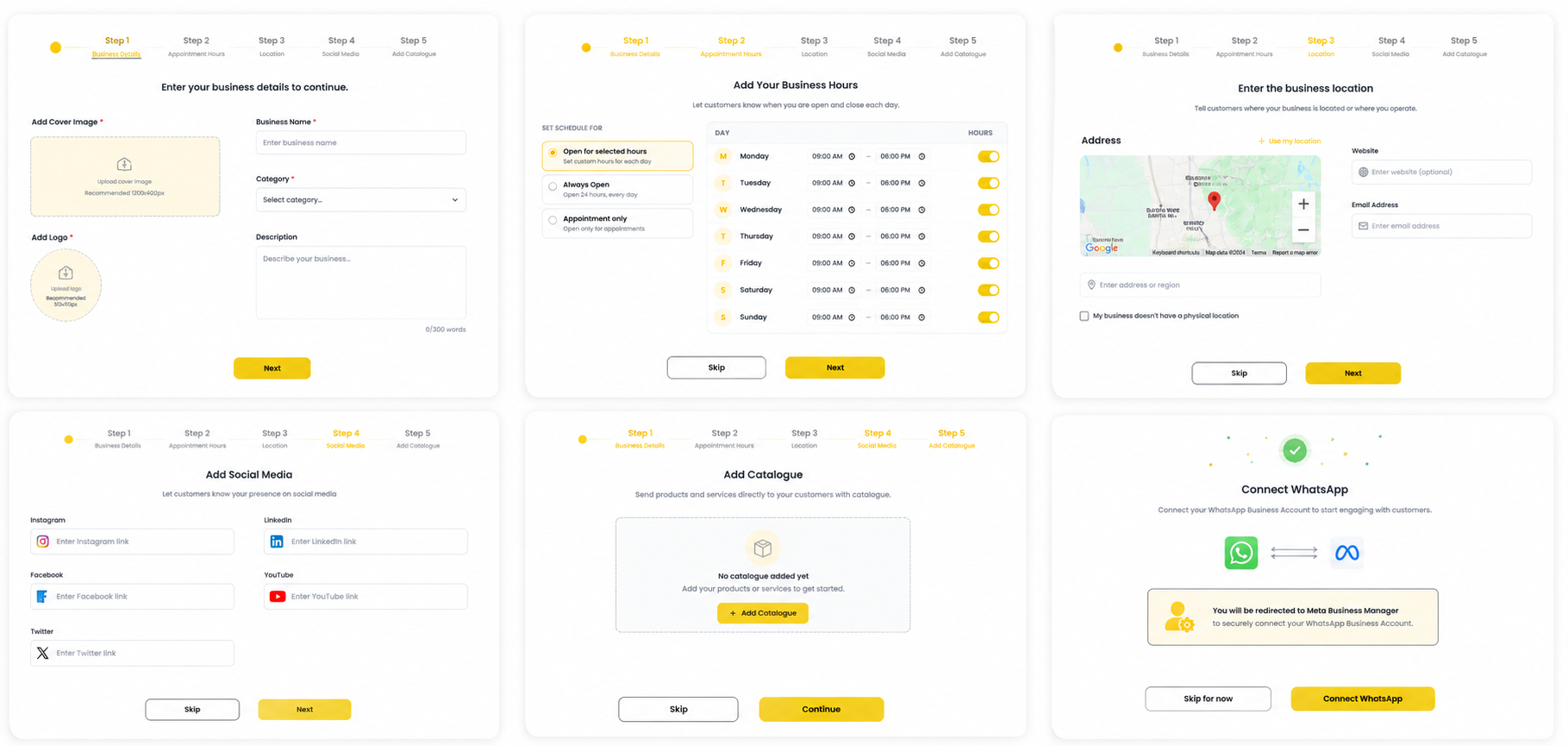
Steps: Signup form → OTP verification → Account activated → Business Onboarding wizard (5 steps: Business Details → Hours → Location → Social → Catalogue) → WABA Connection → Dashboard.
Login Flow
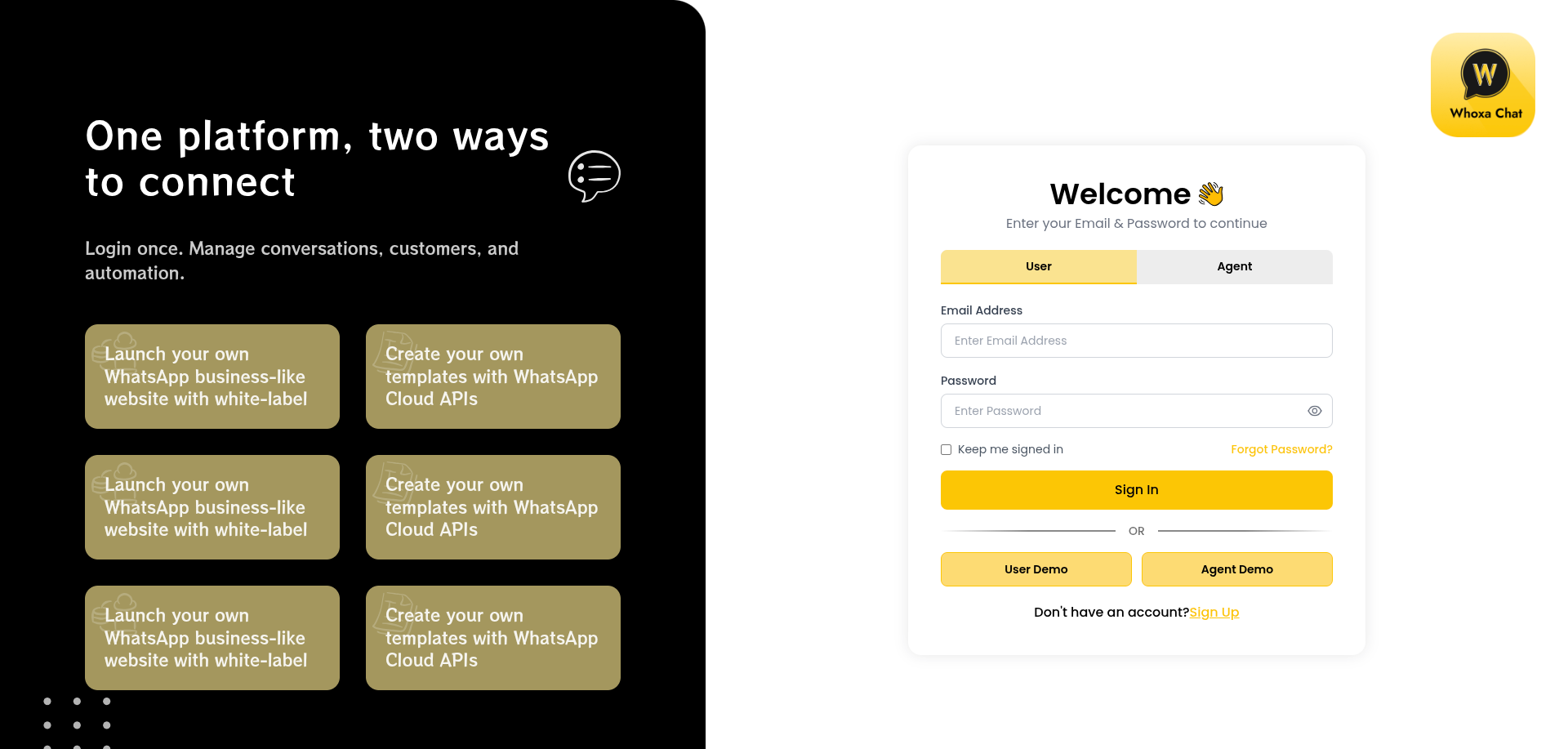
Steps: Enter email + password (or phone OTP) → Server returns access token + refresh token → Frontend stores tokens → All requests are authenticated automatically.
Supported Login Methods
| Method | Notes |
|---|---|
| Email + Password | Standard credential login |
| Phone OTP | SMS OTP verification |
| Google OAuth | Social login via Google |
| Forgot Password | 3-step reset flow via OTP |
Token Handling
| Token | Purpose | Expiry |
|---|---|---|
| Access Token | Authenticate every API request | Short-lived (minutes/hours) |
| Refresh Token | Obtain new access token without re-login | Long-lived |
When the access token expires, the system automatically fetches a new one using the refresh token and retries the original request — no manual re-login required.
Agent Authentication
Agents log in with the same credentials as business users. On WhatsApp routes, the system automatically maps the agent to the correct business owner's account so agents can handle conversations without needing direct WABA credentials.
Admin Authentication
Super admin uses a separate login flow with its own access and refresh tokens.
Role-Based Access Control
| Role | Behaviour |
|---|---|
| Business Owner | Full access to all features |
| Agent | Access to conversations and messaging only |
| Super Admin | Full access to admin panel across all tenants |
Subscription Limit Enforcement
Before creating agents, automations, templates, or conversations, the system checks the active subscription plan and compares current usage against the plan limit. If the limit is reached, the action is blocked until the plan is upgraded.
OTP Resend
On the OTP screen, click Resend OTP to receive a new code. Rate-limited to prevent abuse.
Security Notes
- Blocked users are rejected on every request.
- Deleted users are rejected by the auth system.
- Demo mode blocks all data-changing actions on admin routes.
- Socket connections use a separate token-based auth that registers the session in real-time for live presence tracking.